Thinking About Moving to Azure Virtual Desktop? Here’s What You Need to Know.
Thinking about Azure Virtual Desktop? What AVD is, how it compares with traditional VDI and Windows 365, the Windows 10 ESU benefit, and what to plan first.

With remote and hybrid work now the norm, many organizations already run some form of Virtual Desktop Infrastructure (VDI). As needs change, they look for options that are easier to scale, simpler to manage and better integrated with the tools they already use. Azure Virtual Desktop (AVD) is often on that shortlist.
If your organization is considering a move to AVD, it's usually because the current setup isn't delivering the flexibility, cost control or security you need. AVD is Microsoft's cloud-based service for delivering virtual desktops and applications from Azure.
This article outlines what Azure Virtual Desktop is, where it helps, and what to know before making the transition.
What is Azure Virtual Desktop?
Azure Virtual Desktop is Microsoft's desktop and app virtualization service, hosted on Azure. Unlike traditional VDI that runs on your own servers, the AVD control plane is managed by Microsoft, so you run and pay for the session hosts rather than the brokering infrastructure. It can deliver full Windows 11, Windows 10 or Windows Server desktops, or individual apps through RemoteApp.
Key Advantages of AVD
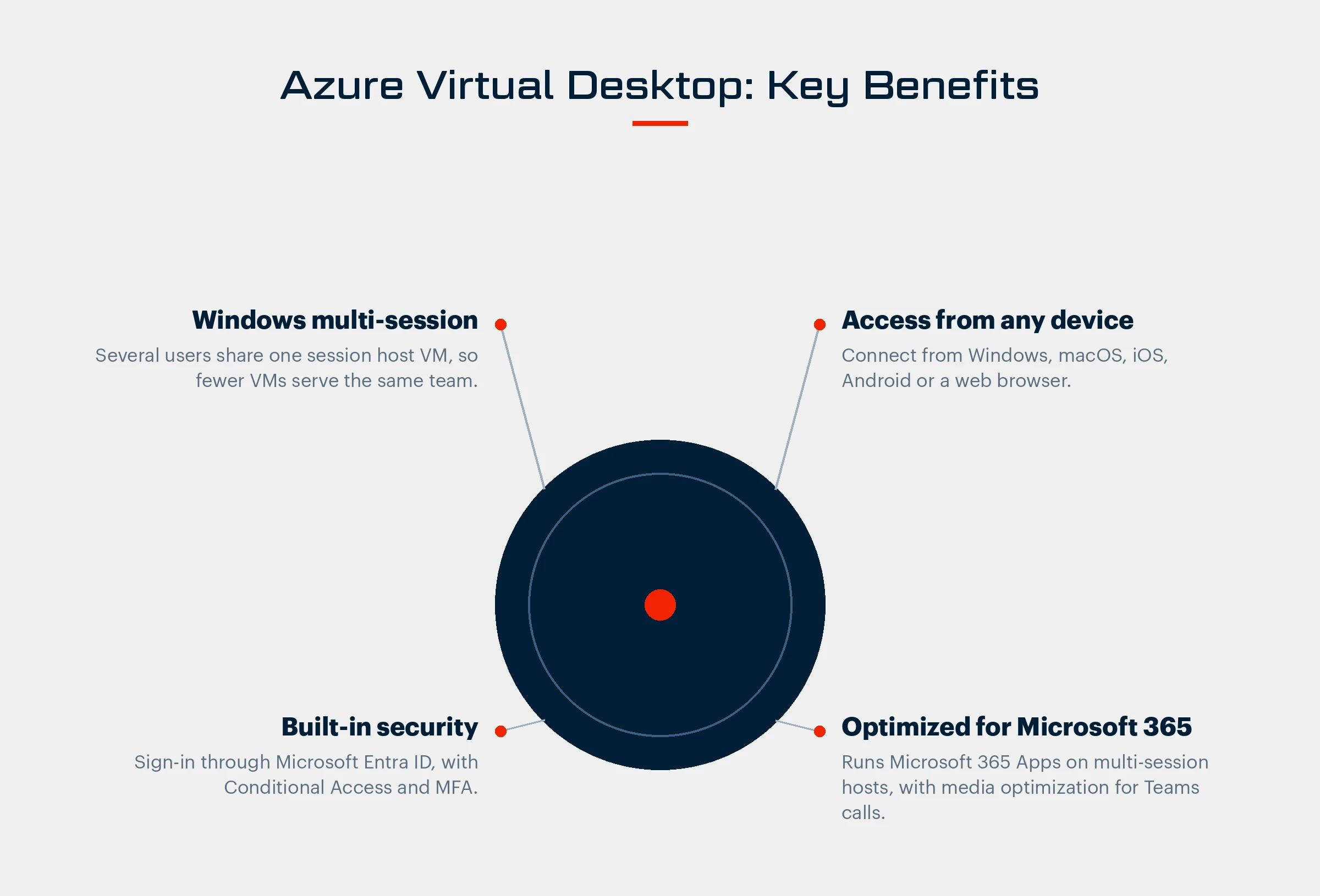
Windows Multi-Session Support: Multiple users can share the same virtual machine, which reduces cost and improves resource use.
Cross-Device Accessibility: Users connect with Windows App or the Remote Desktop client on Windows, macOS, iOS, iPadOS and Android, or from a web browser.
Built-In Security: Sign-in runs through Microsoft Entra ID, so you can require multifactor authentication with Conditional Access. Connections use reverse connect, so session hosts don't need open inbound ports.
Optimized for Microsoft 365: AVD is designed to run Microsoft 365 Apps, including Teams, in multi-user virtual environments.
Windows 10 ESU Included: Windows 10 virtual machines in AVD receive Extended Security Updates at no additional cost. If part of your fleet still depends on Windows 10, see our guide on what to do before ESU costs double.
For organizations already invested in the Microsoft ecosystem, AVD is a natural next step in a virtualization strategy.
How AVD Compares with Traditional VDI
Organizations that started on other VDI platforms often look at AVD for its cost structure, flexibility and cloud integration. These are the differences that usually matter most.
Scaling Without New Hardware
AVD session hosts run in Azure, and autoscale scaling plans can start and stop them on a schedule or as demand changes, so growth doesn't wait on a hardware order. On-premises VDI usually needs capacity planning and hardware purchases to scale.
Cost Structure
AVD runs on Azure's consumption model, so you avoid upfront capital spend on servers. Traditional VDI often combines fixed licensing, maintenance and server costs. Multi-session hosts let several users share one virtual machine, which lowers the cost per user.
Security and Compliance
AVD integrates with Microsoft security tools such as Entra ID, Conditional Access and Microsoft Defender. Because desktops and apps run in Azure, company data can stay off personal devices when access is configured that way.
Simpler IT Management
AVD is managed through the Azure portal, with deployment automation, central policies and usage monitoring. Other VDI platforms often need separate management consoles and their own infrastructure. For larger estates, our comparison of Nerdio Manager and Azure-native tools looks at management options in more detail.

Is AVD Right for Your Business?
Azure Virtual Desktop has real advantages, but it isn't the right fit for every organization. The best option depends on your workflows, user requirements and IT environment. For some businesses, platforms like Citrix or other third-party solutions may fit better, particularly when advanced customization, multi-cloud support or specialized use cases are a priority.
In other cases, a hybrid approach offers the most flexibility. Some organizations combine Azure Virtual Desktop with Windows 365 to support different user groups. For example, AVD can serve IT-heavy roles or users with advanced configuration and resource needs, while Windows 365 provides a simpler, fully managed Cloud PC for general employees. Our article on Azure Virtual Desktop vs Windows 365 compares the two side by side.
BITSUMMIT can assess your environment and help you decide on the best fit, whether that's Azure Virtual Desktop, Windows 365, or a combination designed around your users.
BITSUMMIT's Approach to an AVD Deployment
We plan, deploy and manage Azure Virtual Desktop so the move to a new desktop environment is controlled and predictable. Our approach includes:
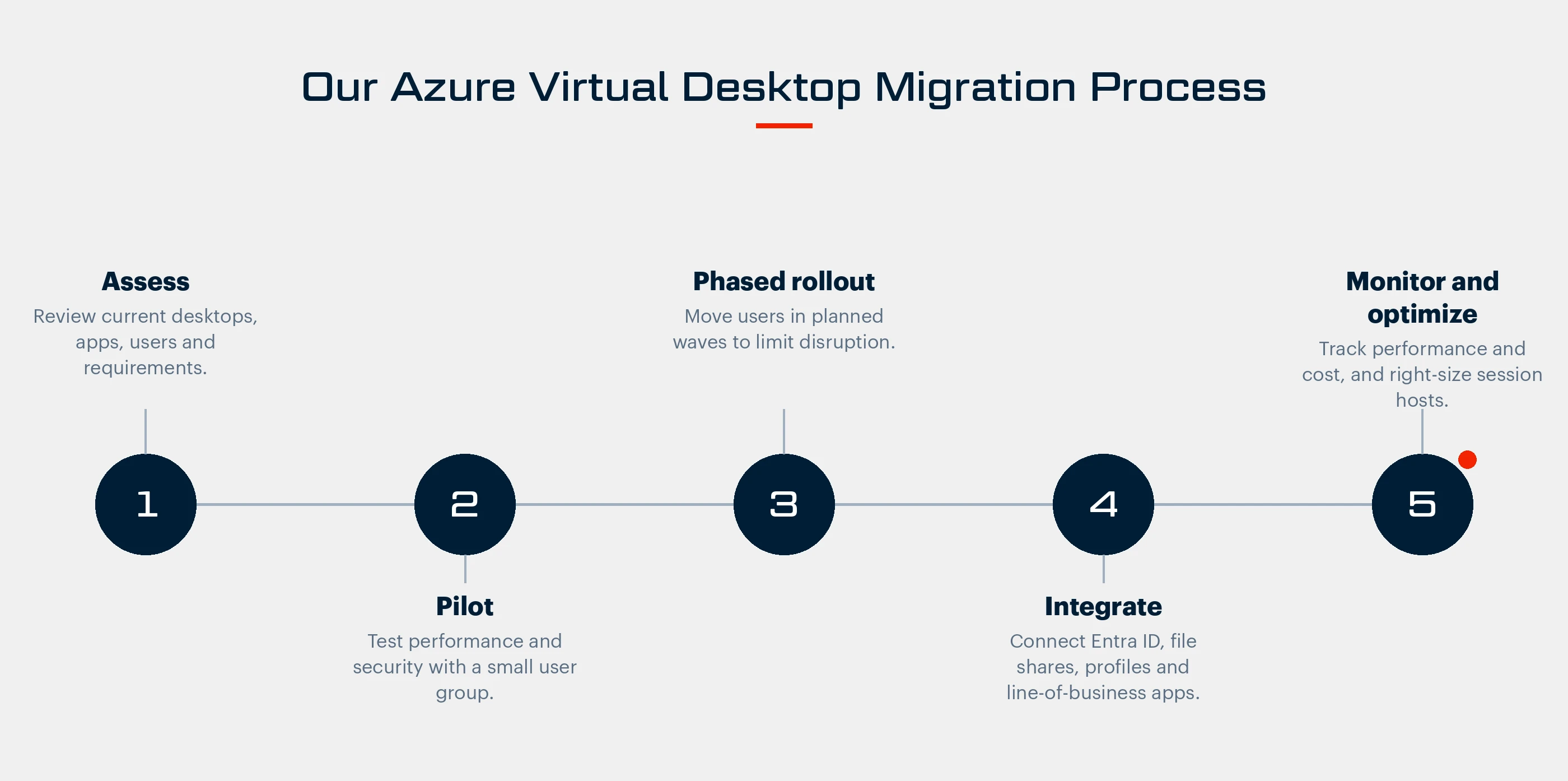
Assessment of Organizational Needs: We start by reviewing your IT infrastructure, workforce requirements and security policies, and build a deployment plan around your business objectives.
Pilot Testing: A pilot group validates performance, user experience and security settings, so adjustments happen before full deployment.
Phased Rollout: AVD is deployed in stages, which limits operational impact and gives users a controlled transition.
Integration with Existing Systems: We align AVD with Microsoft 365, your business applications and your security tools.
Ongoing Monitoring and Optimization: After go-live, we monitor performance, tune capacity and keep session hosts patched so the environment stays stable and cost-effective.
Talk It Through Before You Commit
Moving to Azure Virtual Desktop changes how your users work and how your team runs desktops. With BITSUMMIT, you get:
- A migration planned in phases, starting with a pilot
- An AVD design sized to your users and applications
- Ongoing support and optimization after go-live
If you're weighing AVD, Windows 365 or staying where you are, talk to a senior engineer about your environment.



Subscribe for the field notes
Join our community of 100+ IT professionals and get tech tips and BITSUMMIT updates once a month.
Follow our social media channels; we are a supportive community sharing meaningful content.