From Noise to Clarity: Intune Dashboards from BITSUMMIT
BITSUMMIT dashboards bring scattered Intune data into drillable views of compliance, device health and Windows 11 readiness for every team that needs them.
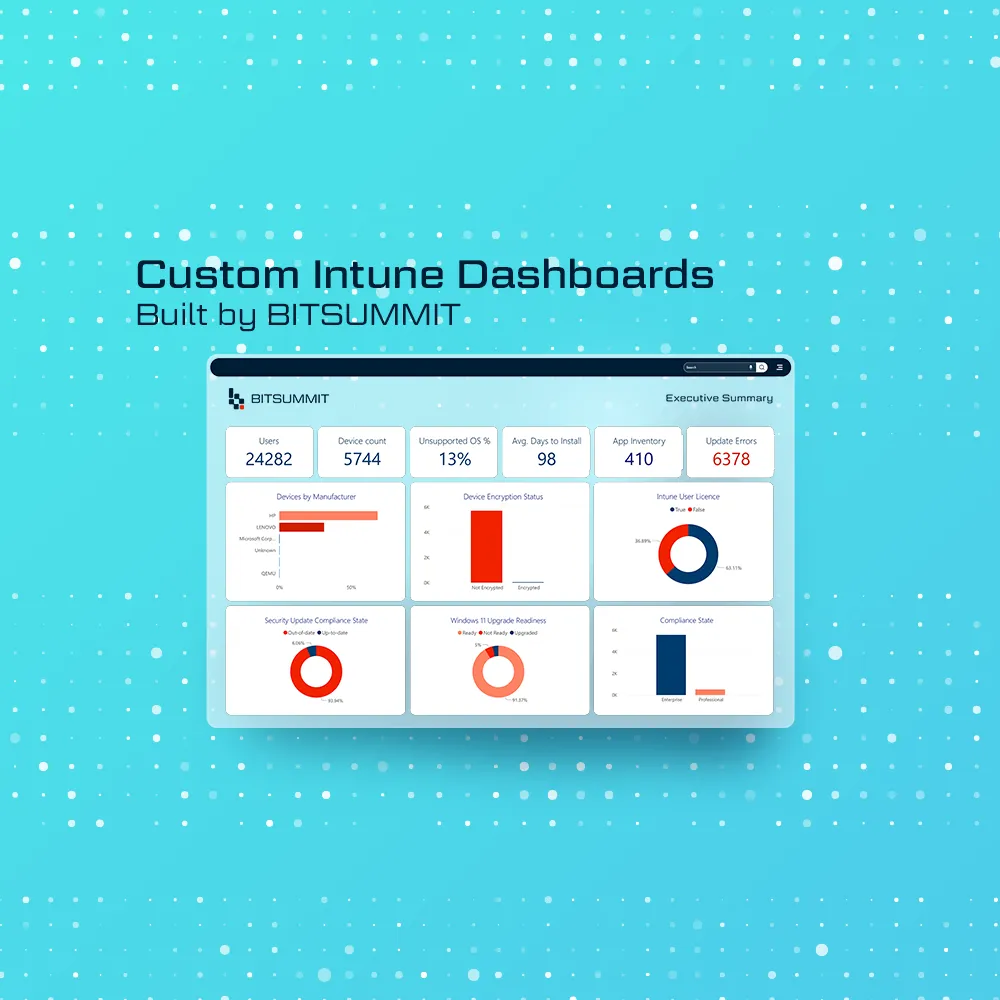
Intune data is everywhere. Compliance lives in one place, upgrade readiness in another, and errors are buried somewhere else.
That fragmentation doesn't just slow teams down. It creates blind spots, and blind spots create risk.
That's why we built BITSUMMIT dashboards for Intune: one set of views that brings the reporting together and turns raw device data into something teams can act on.
Where Intune Reporting Gets Fragmented
Most teams running Intune hit the same roadblocks:
- Compliance buried in static reports
- Errors hidden inside long logs
- Device health scattered across multiple tabs
- Manual exports driving audits and upgrades
When reporting is fragmented, troubleshooting takes longer, upgrades drag, compliance slips, and leadership is always a step behind.
What the Dashboards Bring Together
Our dashboards replace digging through logs with drillable views, so the question you have is a click away instead of an export away. Instead of scattered data, you get one place to look, and the same view works for operations, governance and leadership.
The Executive Summary dashboard is the scorecard: users, devices, unsupported operating systems, encryption status, update compliance and Windows 11 readiness, in one view.

Alignment Across Every Level
One of the biggest gaps in endpoint management is alignment. What operations need isn't the same as what governance teams or executives need.
That's why the dashboards layer the views in one interface. Leaders get a high-level snapshot. Operators drill into failing updates and devices. Governance teams check that policies are actually applied.
The Policy Compliance Overview dashboard shows whether security and update policies are applied consistently across the fleet, policy by policy, so governance teams have the evidence without the manual prep.

Windows 10 Devices You Still Have to Account For
Windows 10 reached end of support on October 14, 2025, and ESU Year 2 began on October 14, 2026. Every Windows 10 device still in service either needs paid Extended Security Updates or a way off Windows 10.
The dashboards make that a tracked process rather than a spreadsheet: which devices are ready for Windows 11, which are out of support, and how the move is trending. The OS Landscape and Support Status dashboard lists exactly which devices are running out of support and which are Windows 11-ready.

If you want to start with Intune's built-in reports, our guide to finding your Windows 10 exposure in Intune, device by device walks through them, and our post on what ESU Year 2 costs Canadian organizations covers the budget side.
Operational Readiness at a Glance
Inventory visibility shouldn't be a guessing game. With thousands of devices across multiple manufacturers, models and OS versions, IT teams need one place to see it all.
The Device Inventory and Readiness dashboard is that place. From device counts and compliance rates to manufacturer breakdowns and upgrade readiness, it lets IT teams check the state of their environment at a glance.

From Reporting to Readiness
Compliance status can be drilled into. Update failures are visible without a log search. Upgrade readiness is mapped device by device. Policy enforcement can be checked, not assumed.
Once you can see which updates are failing, the next question is which fixes to deploy first. Our post on Microsoft's Vulnerability Remediation Agent for Intune covers how it helps prioritize them.
Ready to See the Difference?
If your Intune reporting still lives in fragmented exports and static views, the dashboards give IT the detail to act, leadership a clear picture, and governance teams the evidence they need without the scramble.
This is about more than better reports. It's about trusting your device data, catching risk before it spreads, and giving your teams what they need to modernize with confidence.
Talk to us about bringing these dashboards to your environment.



Subscribe for the field notes
Join our community of 100+ IT professionals and get tech tips and BITSUMMIT updates once a month.
Follow our social media channels; we are a supportive community sharing meaningful content.