The Naming Mess Microsoft Left Behind and How to Fix It
Random cloud device names break policy enforcement, compliance, and support across Entra ID and Intune. How BITSUMMIT's naming framework standardizes fleets.

Device Naming: The Quiet Headache Breaking IT
Device naming is the most overlooked headache in modern IT, and one that quietly wrecks security, compliance, and support.
In theory, names should be simple. In practice, they are the foundation for:
- IT support teams resolving tickets in minutes instead of hours
- Security and compliance controls targeting the right devices
- Asset management systems tracking hundreds or thousands of endpoints reliably.
When everything lived in on-prem Active Directory, names followed rules. IT owned the process. But as organizations moved into Hybrid Azure AD Join and Entra ID Join, renaming devices stopped being straightforward.
And that is where the mess started.
The Problem Microsoft Did Not Solve
In cloud environments, devices inherit random factory names or inconsistent labels created at setup. Microsoft’s defaults are not harmless clutter. They actively break things:
- Policy enforcement fails when machines do not match naming rules.
- Compliance reports filled with blind spots and mismatches.
- Support teams wasting time hunting down which "DESKTOP-7HD8FJ" is which user
- Asset tracking systems lose accuracy, creating audit risk
Native tools do not offer a scalable or consistent way to rename across mixed fleets. The result is endpoint inventories that look like alphabet soup.

Why This Is More Than Cosmetic
Inconsistent names do not just look sloppy. They create friction and cost:
- IT teams waste hours every week trying to identify mismatched devices in Intune and Entra
- Endpoint security policies do not apply correctly, leaving real gaps
- Compliance teams face delays during audits when asset records do not line up
- Asset managers lose confidence in device lifecycle tracking.
What looks like a small cosmetic flaw actually compounds into a security, compliance, and efficiency problem.
What We Built at BITSUMMIT
At BITSUMMIT, we developed a lightweight, repeatable framework to close this gap.
Our approach:
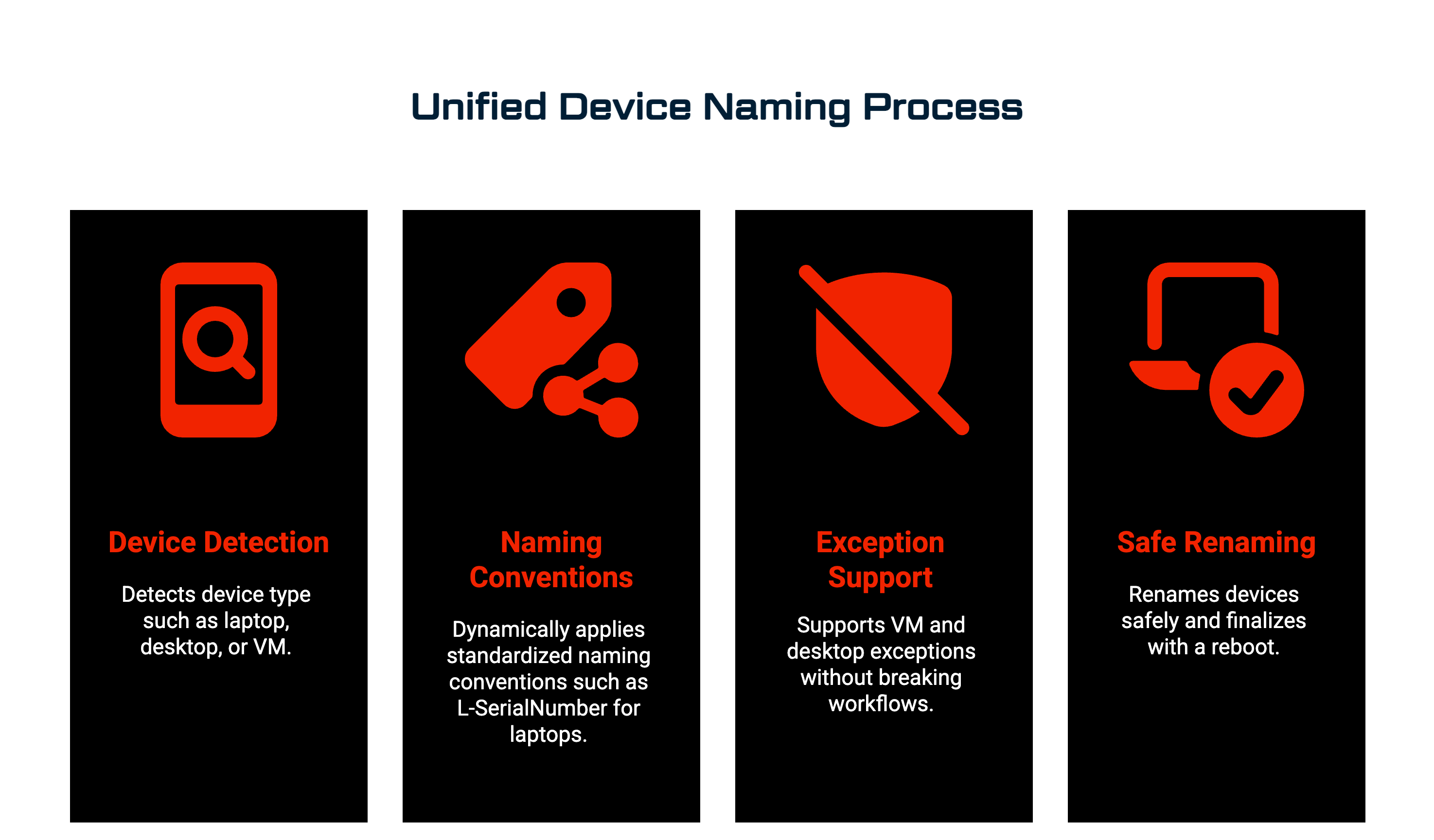
- Detects device type such as laptop, desktop, or VM
- Dynamically applies standardized naming conventions such as L-SerialNumber for laptops
- Supports VM and desktop exceptions without breaking workflows
- Renames devices safely and finalizes with a reboot so Intune, Entra ID, and security policies all recognize the new identity.
This is not theory. We validated it across physical laptops, desktops, and virtual machines. It is not a brittle script. It is a production-tested automation that organizations can run with confidence.
The Impact
Once standardized naming is in place, organizations see immediate results:
- Consistency: predictable names across the entire fleet
- Security: policies apply reliably, compliance checks become faster
- Efficiency: support teams stop burning hours on mismatched machines
- Scalability: proven to work in hybrid and cloud-first organizations with diverse device types
It is a small automation that quietly removes one of the biggest friction points in endpoint management.
Why It Matters Now
More organizations are moving devices into Entra ID and Intune, and Microsoft’s defaults still leave naming to each team. Consistent names also make the next projects easier, from finding Windows 10 devices in Intune to updating Windows MDM enrollment after the CNAME change.
BITSUMMIT does not just deploy Microsoft tools. We engineer the missing pieces that make them work in the real world.
Closing Thoughts
Device naming may look small, but when left unchecked it breaks compliance, frustrates support teams, and weakens security posture.
If your endpoint inventory still looks like alphabet soup, a naming standard is a quick place to start.
Talk to our team about cleaning up your endpoint environment.


Subscribe for the field notes
Join our community of 100+ IT professionals and get tech tips and BITSUMMIT updates once a month.
Follow our social media channels; we are a supportive community sharing meaningful content.